Using Steady
How to log calories and protein without double counting in Steady
Steady's Log food form records two numbers: calories and protein. You can use it for individual meals or a single daily total. Because saved entries are added together for the day, the useful choice is deciding which method you are using before entering the numbers. This walkthrough covers the iPhone form and its actual controls, without suggesting intake targets.
Open the simple food form
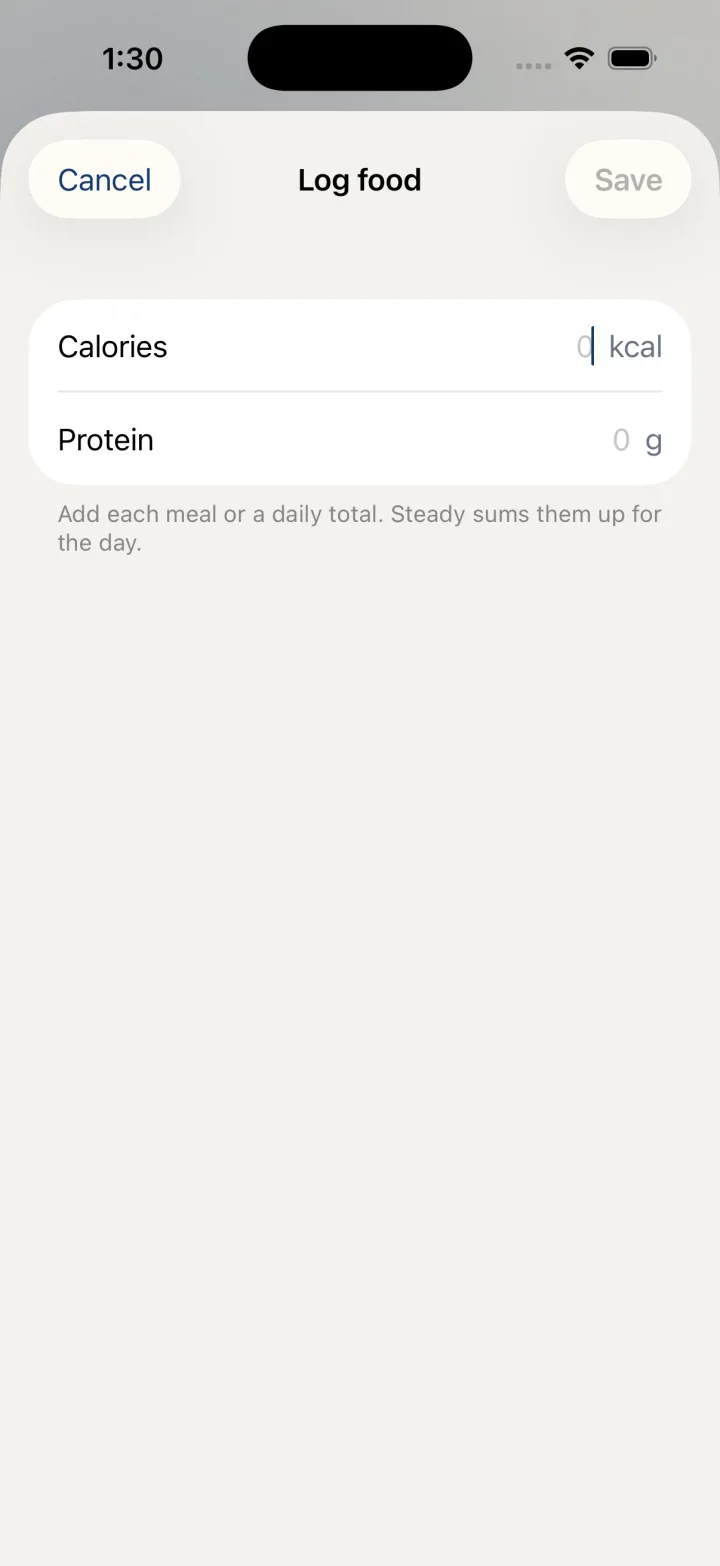
Tap the floating plus button and choose Log food. The form contains Calories, shown in kcal, and Protein, shown in g. It is a numeric entry form. This workflow does not include a barcode scan, a photograph-based food estimate or a food-name search.
If you have already recorded food today, the footer shows So far today with the accumulated calorie and protein totals. That line summarizes saved entries. It does not mean that the number you are about to type will replace the total shown below the fields.
- Tap the floating + button.
- Choose Log food.
- Locate Calories in kcal and Protein in g.
- Check the So far today line if it is present.
Choose meals or a daily total
For meal-by-meal recording, enter only the numbers for the new meal each time you save. The app adds each entry to today's totals. For daily-total recording, enter the day's total once instead. Either approach can organize numbers you already have; the key is not recording the same food through both approaches.
For example, after saving two meal entries, entering a daily total that already includes those meals would add that daily number on top of them. The result would count those meals twice. Review the saved total before making another entry, especially when switching between a separate food record and the Steady form.
- Decide whether this entry represents a new meal or one daily total.
- Enter the calorie number you intend to add, if available.
- Enter the protein number you intend to add, if available.
- Check that the entry does not repeat food already included in today's saved total.
- Tap Save in the top bar. Use Cancel if you do not want to add the entry.
Know what Save does
The fields accept whole-number input. Save is unavailable while both values are zero. You can record one of the two values without providing the other. After saving, the sheet closes, and a later visit to Log food can show the updated So far today totals.
This form records the numbers you supply; it does not verify a food label, calculate a portion for you or determine what you should eat. The separate Protein planner is a different screen from Log food. Follow this guide when your goal is to add a numeric record, rather than expecting the planner's meal interface inside the logging sheet.
Before you rely on this workflow
- Each saved entry adds to the day; it does not replace the displayed total.
- Recording meals plus an overlapping daily total double counts those numbers.
- This form accepts numeric calories and protein rather than recognizing or searching foods.
Read the Privacy Policy for storage and connected-service details. These instructions describe product controls and recorded observations, not treatment decisions.
Keep working with your record
Save and share your record · Choose a GLP-1 tracker · All Steady guides
Explore Steady