Using Steady
How to choose a GLP-1 tracker for your actual routine
Choose a GLP-1 tracker by testing the ordinary tasks you expect to repeat. A long feature list is less helpful than knowing whether you can enter an observation, find it later, correct a mistake and take a readable copy with you. Use the checklist below with fictional sample entries before putting sensitive information into any app.
Start with the record you actually need
Write down the kinds of information you want to organize. That might include dated dose entries, weight measurements, symptoms, daily check-ins or notes from an existing lab report. Separate recording from advice: keeping a number does not mean the app should interpret it or recommend a treatment change.
In Steady’s iPhone app, distinct logging actions include weight, food, water, a daily check-in and symptoms. Track then groups dashboards such as Body, Water and Bloodwork. These are concrete examples to evaluate against your needs, not reasons to record every available category.
- List the two or three entries you expect to use most.
- Create fictional examples and check the units, date controls and optional fields.
- Confirm that the app describes its limits clearly.
Test retrieval and correction, not just entry
An easy input form is only half the workflow. After creating a sample, leave the screen and try to find it again. Check whether the history shows the amount, date and context you need. Then deliberately create a harmless duplicate and investigate the correction controls.
Steady’s Water screen, for example, lists today’s entries with times and a removal control. Its dashboard also shows the last seven days. Other record types have their own screens, so do not assume that one editing experience proves how every category behaves. A brief test can reveal whether the navigation fits the way you think.
- Find the sample entry from the main navigation.
- Check how the app displays missing days or an empty record.
- Try correcting or removing the fictional entry before relying on that workflow.
Inspect the export you would actually share
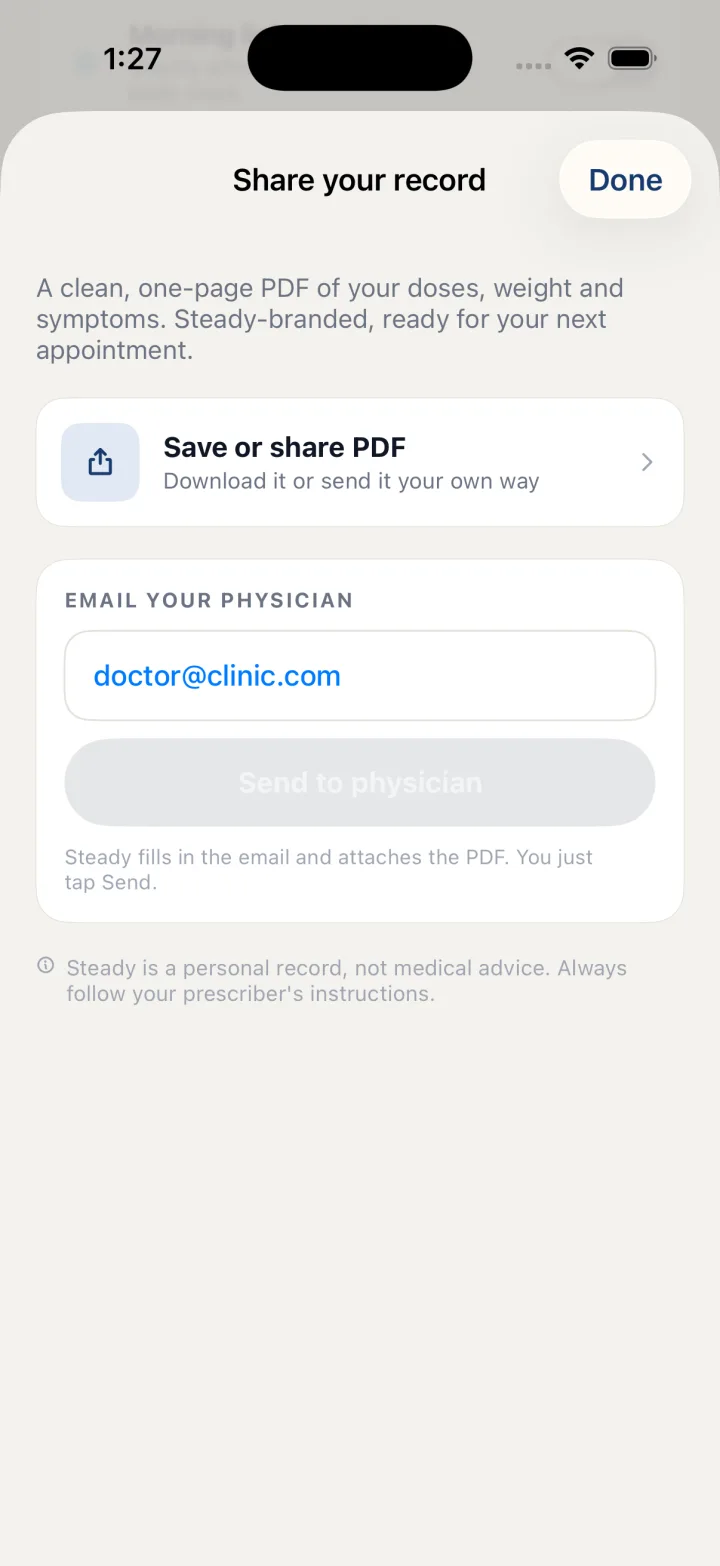
Ask for a real export preview rather than relying only on a claim that sharing is available. Can you read the output on another device? Are the dates and units clear? Does it distinguish self-entered information from verified source documents? Review the information included before choosing a recipient.
Steady’s native app offers Save or share PDF for a readable personal record. That is different from its steadybackup file, which restores supported local records. A recipient-friendly document and a restore file solve different problems. Check both separately if both matter to you.
- Generate a document containing fictional entries.
- Review its contents before sending or saving it.
- Confirm whether a separate backup exists and what restoration replaces.
Verify storage and platform expectations explicitly
Decide where you need to use the tracker: on an iPhone, in a browser or on another device. Verify the exact feature on that platform. The existence of a website or a web account does not establish that a native record synchronizes to it.
Steady’s iPhone records and web-account storage have different models. Its local backup is not a web synchronization feature. The native backup is also not encrypted by Steady, and restoring it replaces the device’s current record. Those boundaries are worth understanding before you need to move phones.
Finally, review optional connections and sharing destinations. Consider what leaves the device when you enable a connection or export a document. Pick the app whose verified behavior fits your routine and your storage preferences, rather than assuming every platform or permission works the same way.
Before you rely on this workflow
- This checklist evaluates recordkeeping workflows, not medical effectiveness.
- No product comparison, pricing claim or cross-platform synchronization promise is implied.
- Use fictional information for evaluation and review any document before sharing it.
Read the Privacy Policy for storage and connected-service details. These instructions describe product controls and recorded observations, not treatment decisions.
Keep working with your record
Save and share your record · Choose a GLP-1 tracker · All Steady guides
Explore Steady